
Levirge DevOps · plugin
llama.cpp
Watch a llama.cpp model server behind a firewall through the outbound devops-client: the loaded model, live token rates and slot use.
Levirge DevOps is in private testing, with no public devops-client download yet.
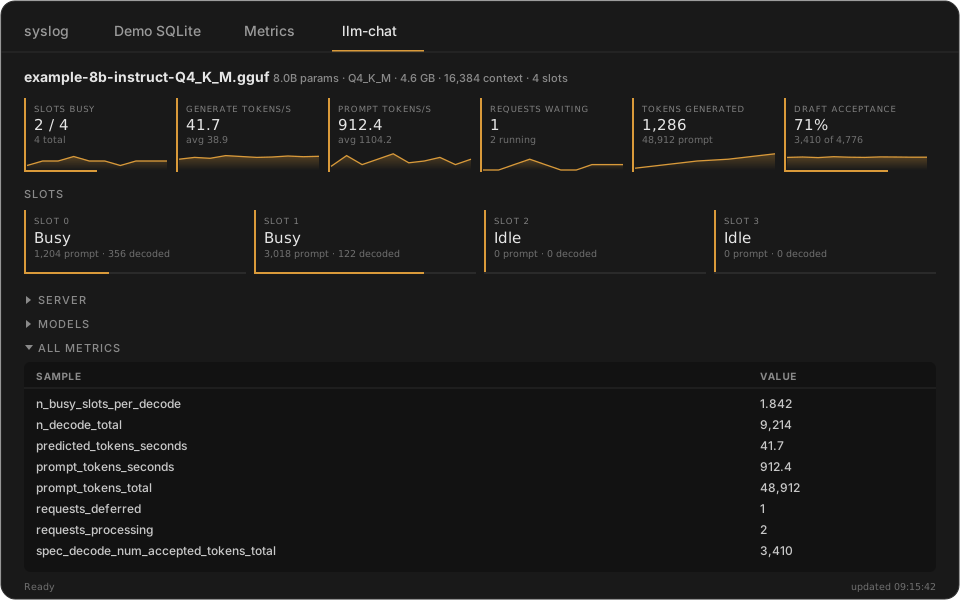
Illustrative mock-up with made-up data, not a screenshot.
Features
- Loaded model at a glance: parameters, quantization, size, context length and slots
- Generation and prompt tokens per second, with lifetime averages
- Requests waiting and tokens generated
- Draft-token acceptance for speculative decoding
- One card per slot, showing how much of its context is in use
For AI agents (MCP)
Connect Claude or another MCP client to Levirge DevOps and the agent can work with this plugin directly.
find_connectionfinds the right connection by name or type.llama_readreads the server's health, properties, loaded models, slots and metrics.- An agent can check which model is loaded, how busy the slots are and how fast it's generating before it sends work.
Capabilities
- Reads the server's health, properties, models, slots and metrics.
Limits
- Read-only: it can't run a completion.
- Model file paths and prompt text are never returned.
- The llama.cpp server must be reachable from the machine running devops-client.
- Load tiles need the server started with
--metrics.