
Levirge DevOps · plugin
PostgreSQL
Query PostgreSQL behind a firewall through the outbound devops-client, without opening a port to the database.
Levirge DevOps is in private testing, with no public devops-client download yet.
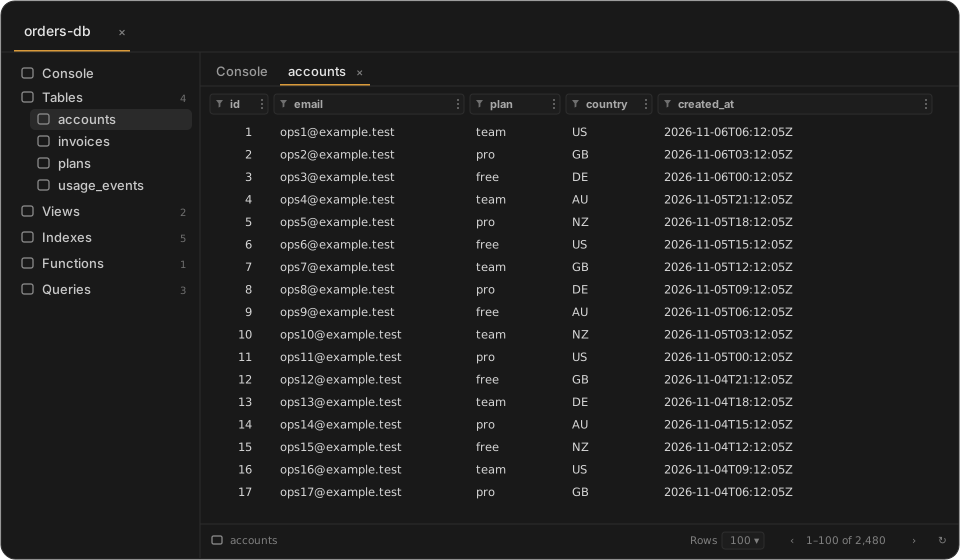
Illustrative mock-up with made-up data, not a screenshot.
Features
- Run SQL queries
- Browse databases, schemas and tables
- View table data, paginated
- Filter table data by column
- Export query results
- Query time and row count with every result
- Resize table columns by dragging; widths are kept when you reopen the table
- Interactive SQL console
- Cancel a running query
For AI agents (MCP)
Connect Claude or another MCP client to Levirge DevOps and the agent can work with this plugin directly.
find_connectionfinds the right connection by name or type.get_sql_schemareturns tables and columns. The schema is also offered as an MCP resource, so clients can cache it.run_queryruns SQL and pages through large results. Reads work for every role; writes need a role that allows them, and the reply flags any statement that changed data.list_saved_queriesreturns your saved queries, ready to run.- The
explain_queryprompt has the agent explain a query plan withEXPLAIN ANALYZE. - Changes an agent makes are recorded in the audit log as assistant actions.
Capabilities
- Connects to local or network PostgreSQL instances devops-client can reach.
- A connection can be set read-only, for example for a replica. devops-client then refuses writes.
- Writes from the web UI ask for an authenticator code first.
- Passwords stay in devops-client's environment on your machine.
Limits
- Very large result sets are paginated rather than held in memory.
- Stored procedures that return results through
REFCURSORaren't supported.